olixGNX
olixGNX
Overview
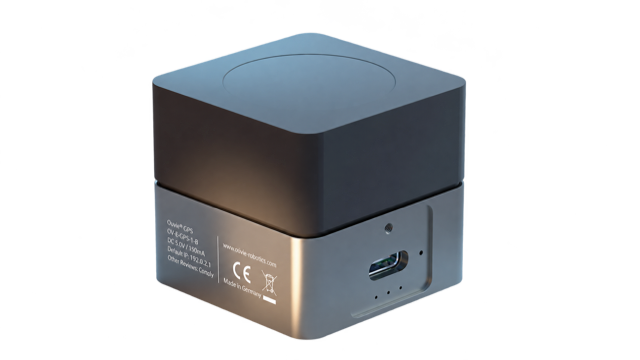
The Olive Robotics GNSS module is a compact and versatile navigation sensor that provides high-precision positioning and location information for robotic systems. It features a high-sensitivity GNSS receiver and a built-in antenna that provides accurate and reliable positioning information even in challenging environments.
Key Features
Introducing the OLV-GNX01, a high-performance GNSS module designed by Olive Robotics for seamless integration onto your ROS-based robotic system. With its NMEA-0183 compliance, this GNSS module is capable of generating GLL, GGA, VTG, and RMC messages, providing you with accurate and reliable location data.
The OLV-GNX01 is capable of tracking up to 22 satellites simultaneously while searching for 66 satellites, ensuring maximum satellite coverage and accuracy. The module produces messages of type 'sensor_msgs/NavSatFix' and 'sensor_msgs/NaxSatStatus', making it easy to integrate with your robot's existing navigation system.
Whether you are operating in urban or rural environments, the OLV-GNX01 provides unparalleled accuracy and reliability. With its compact size and easy installation, the OLV-GNX01 is the perfect solution for your global positioning needs.
Technical Specifications
| Part Number | OLV-GNX01 |
|---|---|
| Connection Interface | USB Type-C |
| Communication Protocol | ROS 1&2 (Virtual Ethernet / IPV4) |
| Communication | USB Type C - Ethernet Over USB |
| Sample rate | 10 Hz |
| Weight | 62 grams |
| Dimensions WxHxD | 40x40x45 mm |
| Native ROS Messages | sensor_msgs/NavSatFix, sensor_msgs/NavSatStatus |
| Operating Temperature | 0 ~ 55 °C |
Sensor Specifications
| Part Number | OLV-GNX01 |
|---|---|
| Satellites | 22 tracking, 66 searching |
| Patch Antenna Size | 15mm x 15mm x 4mm |
| Update rate | 1 to 10 Hz |
| Position Accuracy | < 3 meters |
| Velocity Accuracy | 0.1 meters/s |
| Warm/cold start | 34 seconds |
| Acquisition sensitivity | -145 dBm |
| Tracking sensitivity | -165 dBm |
| Maximum Velocity | 515m/s |
| Operating Voltage | 3.0-5.5VDC |
| Operating Current | 25mA while tracking, 20mA while navigation |
| Output | NMEA 0183 |
| Supported Augmentation Systems | DGPS / WAAS / EGNOS |
| PRN channels | Up to 210 |
| Other Features | Jammer detection and reduction Multi-path detection and compensation FCC E911 compliance and AGPS support (Offline mode : EPO valid up to 14 days) |
Setup
- Follow the Quick Start Guide for Olive Robotics robot modules to connect the device and start using it.
- When the GNSS is correctly connected to your system, you can check that the expected ROS topics are present. On your host PC, run
ros2 topic list. The following ROS topics should be shown:/olive/gnx/id01/gnx/olive/gnx/id01/altitude/olive/gnx/id01/geoid_height/olive/gnx/id01/ortho_height/olive/gnx/id01/sat_count/olive/gnx/id01/speed/olive/gnx/id01/status/olive/gnx/id01/temperature/olive/gnx/id01/time
- Change parameters such as IP and ROS topic name using the embedded web interface. Open your browser on your host computer and enter the device IP address. If you did not change the default IP address, use
192.168.7.100.
ROS Topics
| Topic Name | Message Type | Type | Description |
|---|---|---|---|
| /olive/gnx/id01/altitude | std_msgs/Float32 | Publisher | The current altitude. |
| /olive/gnx/id01/geoid_height | std_msgs/Float32 | Publisher | The height above the geoid reference. |
| /olive/gnx/id01/gnx | sensor_msgs/NavSatFix | Publisher | The current navigation satellite fix status. |
| /olive/gnx/id01/led | std_msgs/Bool | Subscriber | LED status indicator (true/false). |
| /olive/gnx/id01/ortho_height | std_msgs/Float32 | Publisher | The orthometric height. |
| /olive/gnx/id01/sat_count | std_msgs/Int32 | Publisher | The count of satellites in view. |
| /olive/gnx/id01/speed | std_msgs/Float32 | Publisher | The current speed. |
| /olive/gnx/id01/status | std_msgs/String | Publisher | System status messages. |
| /olive/gnx/id01/temperature | std_msgs/Float32 | Publisher | Ambient temperature measurement. |
| /olive/gnx/id01/time | std_msgs/String | Publisher | Clock information. |
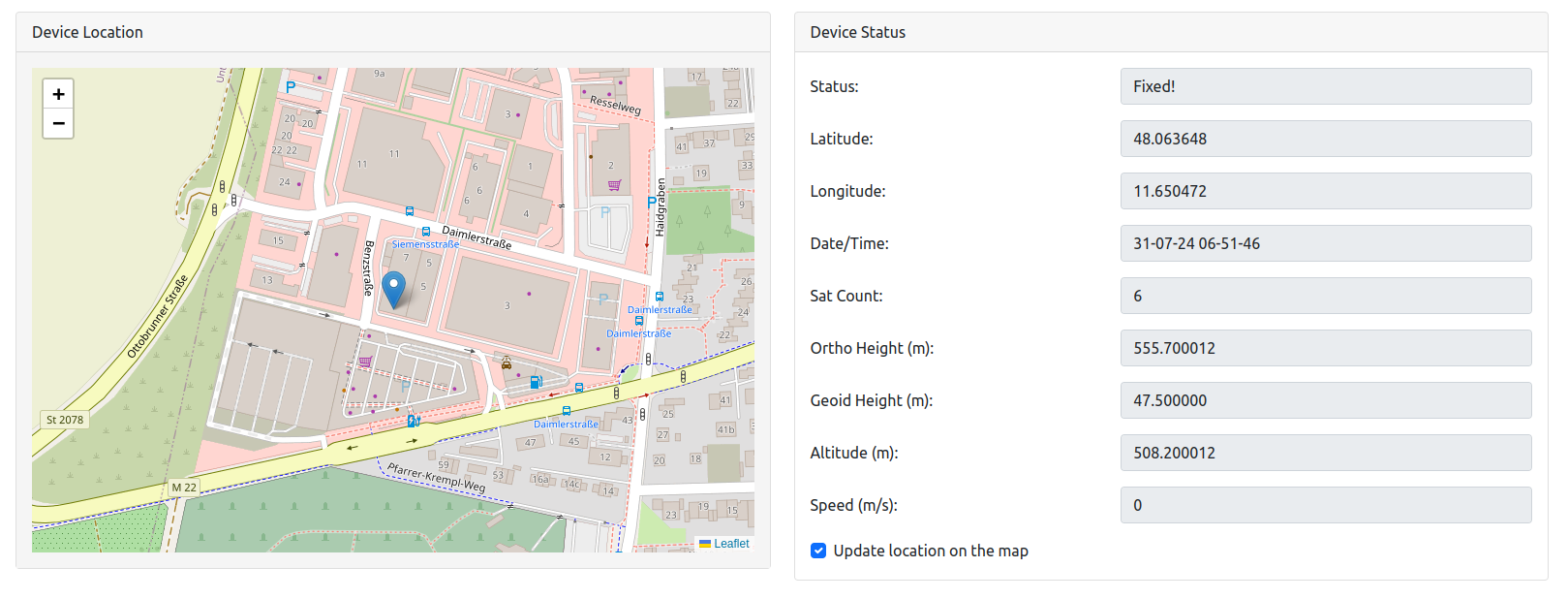
Example GUI
Advanced Settings
The device allows certain parameters to be changed at runtime. To get an overview of all changeable parameters use ros2 param list. To change a parameter use ros2 param set /dcm_gnx <parameter> <new_value>. These are the supported ROS parameters.
| Parameter | Type | Range Min | Range Max | Default | Description |
|---|---|---|---|---|---|
| frequency | int | 0 | 10 | 10 | Status publish rate |