3 - Software Development
Software Development
ROS Topics and Services
| Topic Name | Message Type | Type | Description |
|---|---|---|---|
| .../image/camera_info | sensor_msgs/CameraInfo | Publisher | Camera image information |
| .../image/compressed | sensor_msgs/CompressedImage | Publisher | Camera image |
| .../imu | sensor_msgs/Imu | Publisher | Messured acc/gyro/quaternion |
| .../magneticfield | sensor_msgs/MagneticField | Publisher | Messured Magnetic field. |
| .../status | diagnostic_msgs/DiagnosticStatus | Publisher | Device status. |
Advanced Settings
The device allows certain parameters to be changed at runtime. To get an overview of all changeable parameters use ros2 param list. To change a parameter use ros2 param set /dcm_camera <parameter> <new_value>
Camera
| Parameter | Type | Range Min | Range Max | Default | Description |
|---|---|---|---|---|---|
| frequency | int | 0 | 120 | 30 | Camera publish rate |
| brightness | double | 0.0 | 1.0 | 0.5 | Camera brightness parameter |
| contrast | double | 0.0 | 1.0 | 0.5 | Camera contrast parameter |
| saturation | double | 0.0 | 1.0 | 0.5 | Camera saturation parameter |
| gamma | double | 0.0 | 1.0 | 0.5 | Camera gamma parameter |
| whitebalance | double | 0.0 | 1.0 | 0.5 | Camera whitebalance parameter |
| resolution | string | "320x240" | "1920x1080" | "640x480" | Camera image resolution |
IMU
| Parameter | Type | Range Min | Range Max | Default | Description |
|---|---|---|---|---|---|
| filter_frequency | int | 0 | 1200 | 100 | IMU filter frequency |
| filter_gain | int | 0 | 1 | 0.2 | IMU filter gain |
| frequency_imu | int | 0 | 1200 | 100 | IMU publish rate |
| frequency_mag | int | 0 | 100 | 100 | Magnetometer publish rate |
System
| Parameter | Type | Range Min | Range Max | Default | Description |
|---|---|---|---|---|---|
| frequency | int | 0 | 10 | 10 | System status publish rate |
Camera Calibration
- Install Camera Calibration Parser, Camera Info Manager and Launch Testing Ament Cmake
sudo apt install ros-humble-camera-calibration-parsers
sudo apt install ros-humble-camera-info-manager
sudo apt install ros-humble-launch-testing-ament-cmake- The image_pipeline need to be built from source in your workspace with:
git clone – b humble git@github.com:ros-perception/image_pipeline.git- A large checkerboard with known dimensions. This tutorial uses a 7x9 checkerboard with 20mm squares. Calibration uses the interior vertex points of the checkerboard, so an “8x10” board uses the interior vertex parameter “7x9” as in the example below. The checkerboard with set dimensions can be downloaded from here.
https://calib.io/pages/camera-calibration-pattern-generator
- A well-lit area clear of obstructions and other check board patterns
- A monocular camera publishing images over ROS
ros2 run camera_calibration cameracalibrator --size 7x9 --square 0.02 --ros-args -r image:=/my_camera/image_raw -p camera:=/my_cameraExplanation of the required parameters:
Camera Name:
-c, --camera_name

name of the camera to appear in the calibration file
Chessboard Options:
You must specify one or more chessboards as pairs of --size and--square options.
-p PATTERN, --pattern=PATTERN

calibration pattern to detect - 'chessboard','circles', 'acircles','charuco'

-s SIZE, --size=SIZE

chessboard size as NxM, counting interior corners (e.g. a standard chessboard is 7x7)

-q SQUARE, --square=SQUARE

chessboard square size in meters
ROS Communication Options:
--approximate=APPROXIMATE

allow specified slop (in seconds) when pairing images from unsynchronized stereo cameras

--no-service-check

disable check for set_camera_info services at startup
Calibration Optimizer Options:
--fix-principal-point

fix the principal point at the image center

--fix-aspect-ratio

enforce focal lengths (fx, fy) are equal

--zero-tangent-dist

set tangential distortion coefficients (p1, p2) to

zero

-k NUM_COEFFS, --k-coefficients=NUM_COEFFS

number of radial distortion coefficients to use (up to

6, default 2)

--disable_calib_cb_fast_check

uses the CALIB_CB_FAST_CHECK flag for findChessboardCorners
This will open a calibration window which highlight the checkerboard.
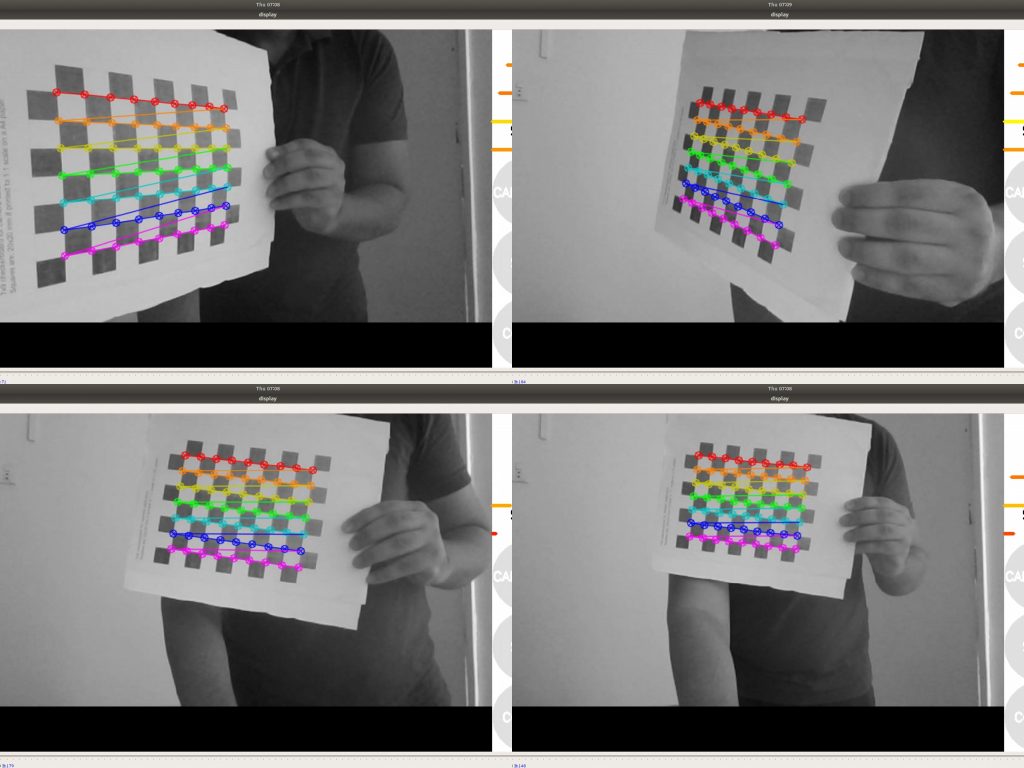
As the checkerboard is moved around the 4 bars on the calibration sidebar increases in length. When all then the 4 bars are green and enough data is available for calibration the CALIBRATE button will light up. Click it to see the results. It takes around the minute for calibration to take place.
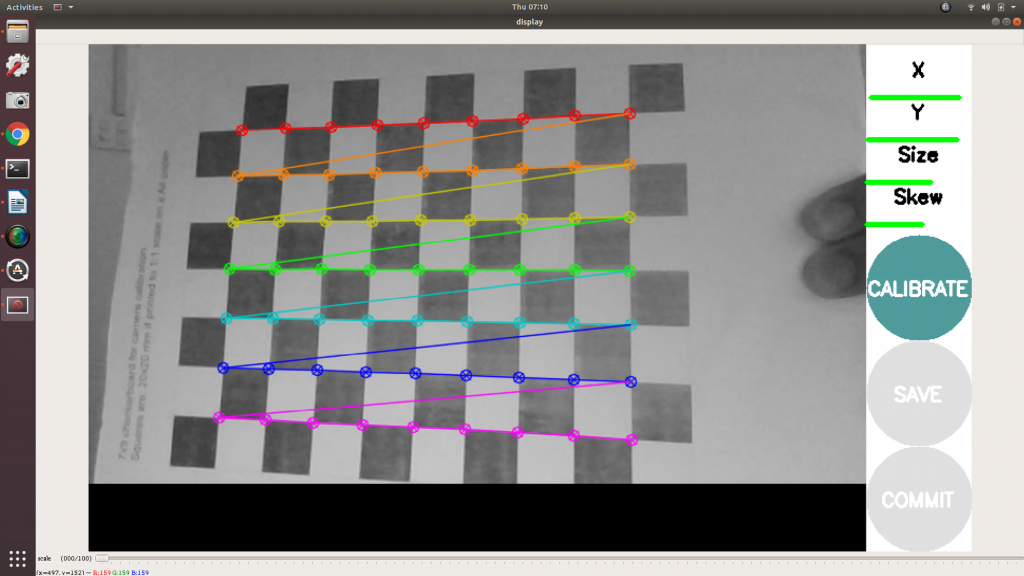
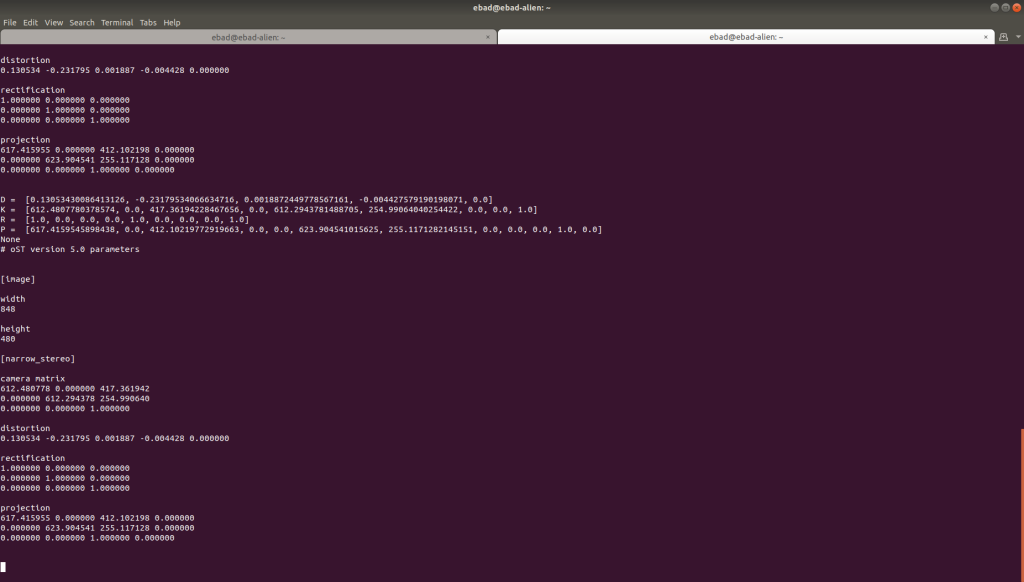
After the calibration is completed the save and commit buttons light up. And you can also see the result in terminal.
Press the save button to see the result. Data is saved to “/tmp/calibrationdata.tar.gz”
default factory calibrated parameters for 320x240 are as follows:
image_width: 320
image_height: 240
camera_name: narrow_stereo
camera_matrix:
  rows: 3
  cols: 3
  data: [353.88557,   0.     , 160.14916,
        0.     , 353.7126 ,    117.27734,
        0.     ,   0.     ,   1.     ]
distortion_model: plumb_bob
distortion_coefficients:
  rows: 1
  cols: 5
  data: [-0.428635, 0.167437, 0.001243, 0.004107, 0.000000]
rectification_matrix:
  rows: 3
  cols: 3
  data: [1., 0., 0.,
         0., 1., 0.,
         0., 0., 1.]
projection_matrix:
  rows: 3
  cols: 4
  data: [319.03568,   0.     , 161.28226,   0.    ,
        0.     , 334.55365, 116.9051 ,   0.     ,
        0.     ,   0.     ,   1.     ,   0.     ]
place the ost.yaml in the current folder of the camera:
/opt/olive/config/current/cameraNow restart the camera and it should use your new calibration parameters for camera_info topic.